Branch any thought
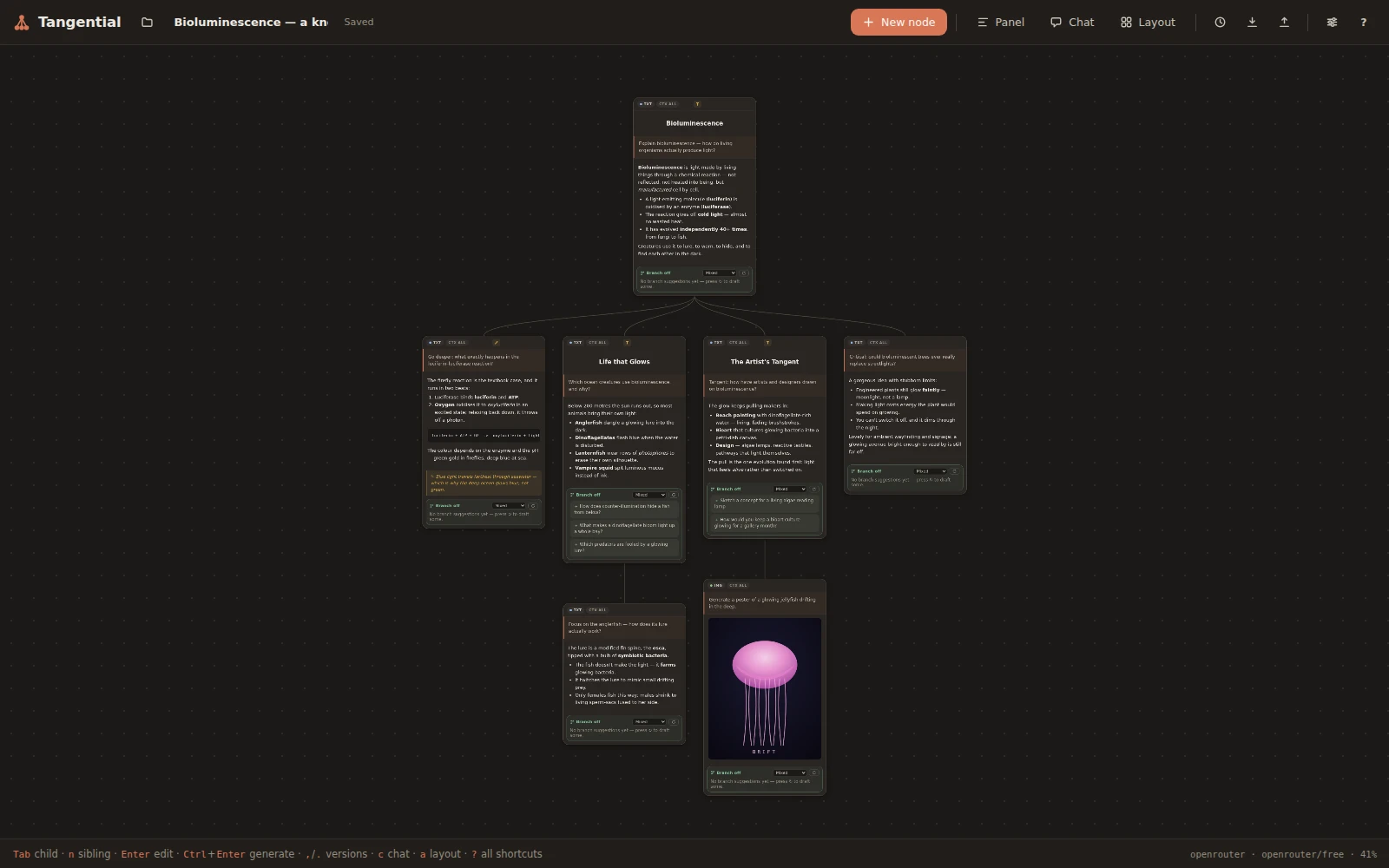
Spin as many children off a node as you like. Each branch is an independent line of reasoning you can compare at a glance.
Keyboard-first · Multimodal · Local-only
Tangential turns every conversation into a branching knowledge map on an infinite canvas. Chase many lines of thought at once, wire nodes together for context, and read any branch back as a familiar linear chat.
No sign-up, no backend — start free with your own API key.
Paste an OpenRouter key and you're generating in seconds. Its catalogue includes plenty of models that cost nothing, so you can build your first knowledge map without spending a cent — then swap in a premium model whenever you want more power. Straico works too, and the app always talks to your provider directly, never marking up a token.
The idea
A normal AI chat is one long scroll — every tangent buries the last, and branching means starting over. Tangential makes each prompt-and-answer a node you can branch, wire, and revisit, so your thinking becomes a space you can actually navigate.
What you can do
Spin as many children off a node as you like. Each branch is an independent line of reasoning you can compare at a glance.
Clickable next-prompt ideas drawn from a node's ancestors — nudge them exploratory, deeper, tangential, or critical.
Draw a wire and a node inherits its parents' history. Cut it and that context is gone. You decide precisely what the model sees.
Every node can be multimodal. Generated media lives inline on the canvas, and images flow into the nodes that build on them.
When a parent changes, descendants built on the old context are flagged amber — so you rerun only what actually needs it.
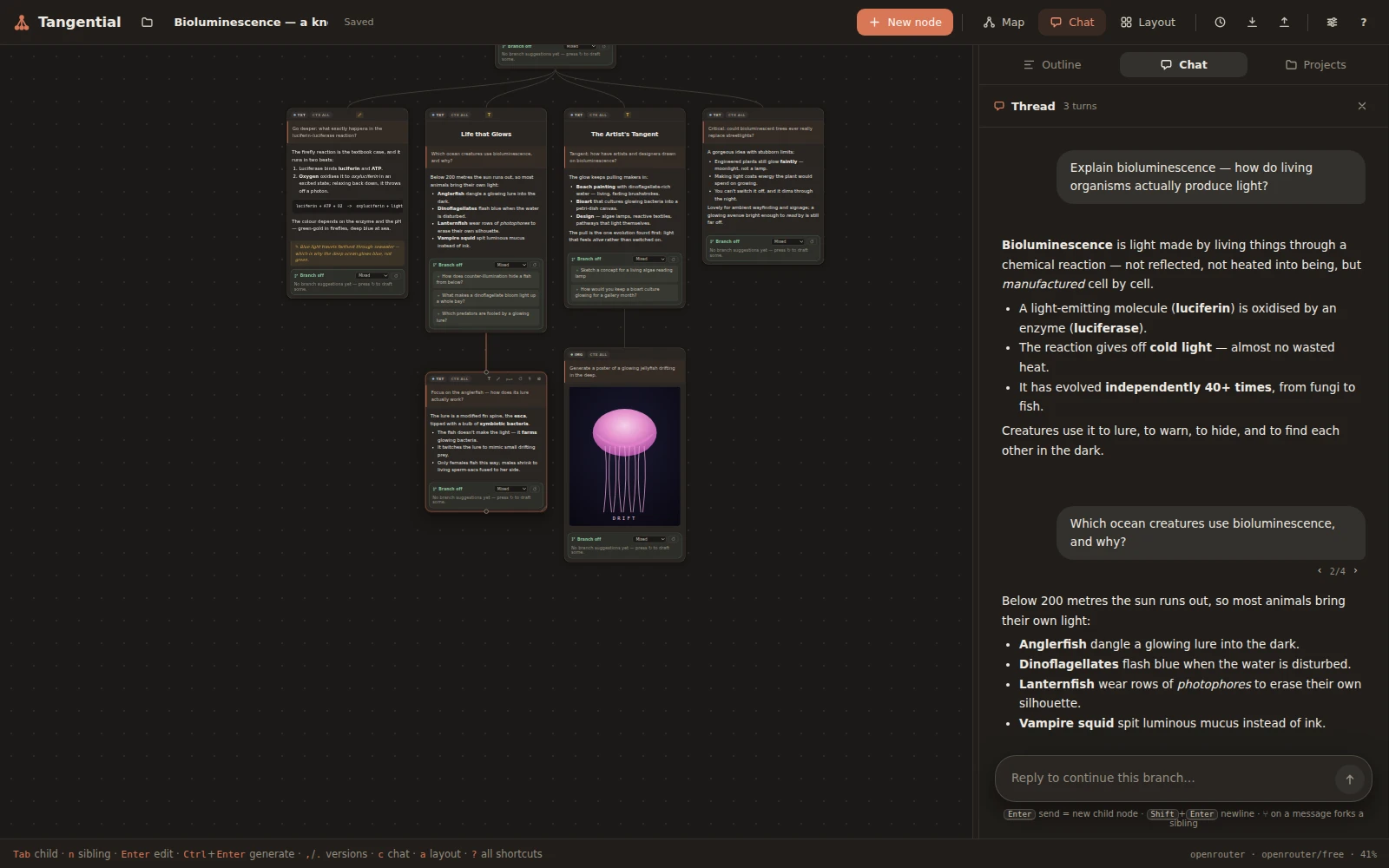
Open a ChatGPT-style pane beside the map. Reply to continue a branch, fork any message into a new one, and switch between branches like tabs.
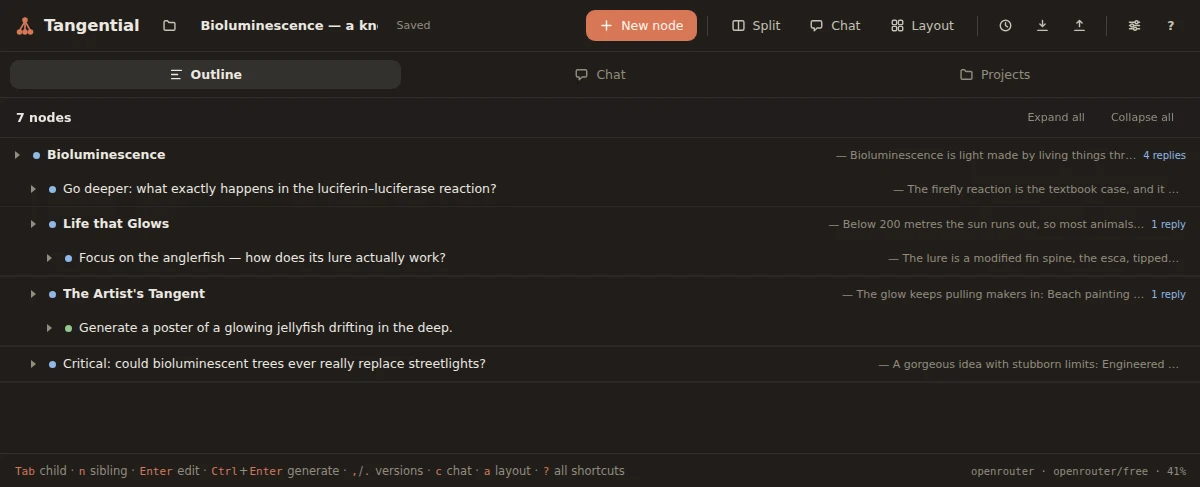
The thread pane turns your whole map into a collapsible index — every node a row, every answer previewed — so you can jump straight to any point.
Create, branch, navigate, generate, and auto-lay-out your whole map without ever reaching for the mouse.
Anatomy of a node
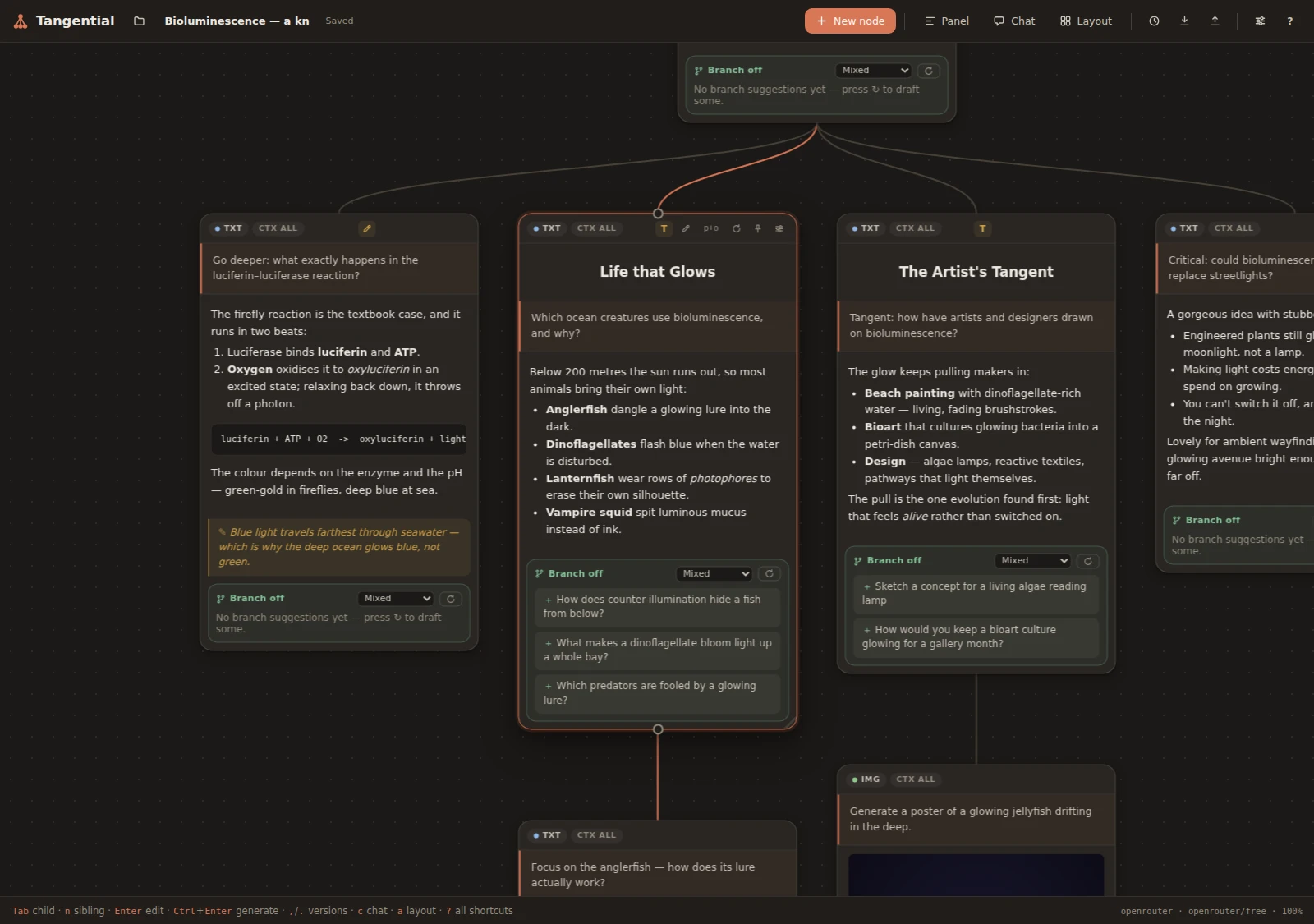
Each node pairs a prompt with its answer, rendered in Markdown. Add a title and free-form notes that never reach the AI, then follow the green branch-off suggestions to spin up the next question.
Prefer to just chat?
Open the chat pane beside the map and read a whole branch top to bottom. Every reply becomes a new node, ⑂ fork a message to try a different tack, and use the ‹ › switchers to flip between branches — the map stays perfectly in sync.
See the whole shape
The thread pane folds your entire map into a linear index — every node a row, every answer previewed, nested under its parent. Collapse the noise, find the thread you want, and jump straight to that node.
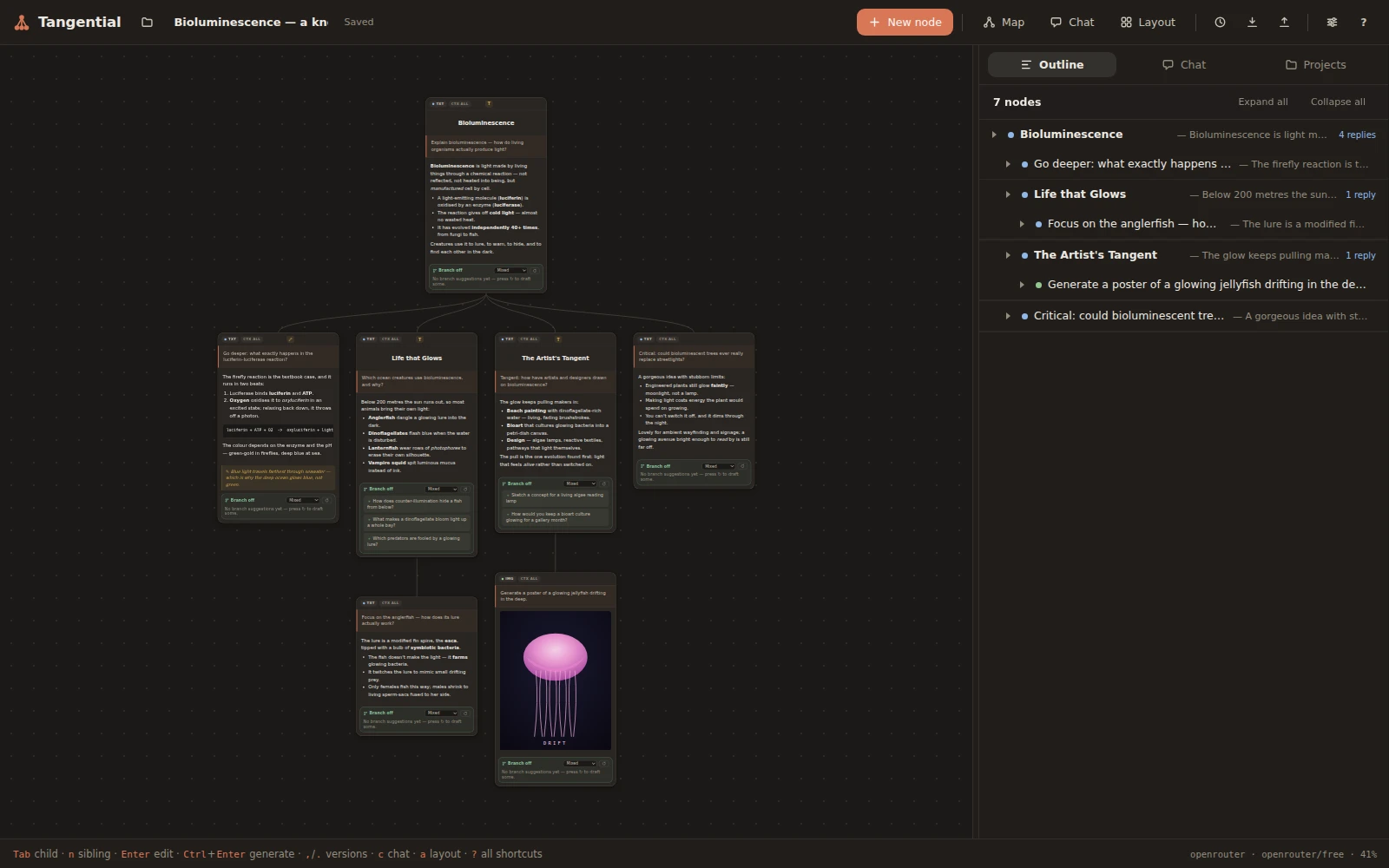
Best of both
Keep the big picture and the detail in view at once. Work spatially on the left, read the index on the right — they stay perfectly in sync.
How it works
Add an OpenRouter or Straico key in Settings — OpenRouter's free models let you start at no cost. It's encrypted at rest and never leaves this browser.
Start a node, press Tab to branch a child, and let the AI suggest where to go next — or type your own prompt.
Wire nodes for context, tidy the whole map with a, and switch between map and thread whenever you like.
Yours, and only yours
There's no server to sign up for and nothing to trust with your data. Projects live in your browser's IndexedDB, settings in localStorage, and API keys are encrypted at rest with WebCrypto. The only libraries — a Markdown parser and sanitizer — are vendored in, with no build step; generating answers is the one thing that reaches out, calling the AI provider you choose directly.
Fast by design
Open a blank canvas and press Tab. That's the whole tutorial.
Open the canvasRuns entirely in your browser.